 I’m pleased to announce a major alliance between the Zotero project at the Center for History and New Media and the Internet Archive. It’s really a match made in heaven—a project to provide free and open source software and services for scholars joining together with the leading open library. The vision and support of the Andrew W. Mellon Foundation has made this possible, as they have made possible the major expansion of the Zotero project over the last year.
You will hear much more about this alliance in the coming months on this blog, but I wanted to outline five key elements of the project.
1. Exposing and Sharing the “Hidden Archive”
The Zotero-IA alliance will create a “Zotero Commons” into which scholarly materials can be added simply via the Zotero client. Almost every scholar and researcher has documents that they have scanned (some of which are in the public domain), finding aids they have created, or bibliographies on topics of interest. Currently there is no easy way to share these; giving them a central home at the Internet Archive will archive them permanently (before they are lost on personal hard drives) and make them broadly available to others.
We understand that not everyone will be willing to share everything (some may not be willing to share anything, even though almost every university commencement reminds graduates that they are joining a “community of scholars”), but we believe that the Commons will provide a good place for shareable materials to reside. The architectural historian with hundreds of photographs of buildings, the researcher who has scanned in old newspapers, and scholars who wish to publish materials in an open access environment will find this a helpful addition to Zotero and the Internet Archive. Some researchers may of course deposit materials only after finishing, say, a book project; what I have called “secondary scholarly materials” (e.g., bibliographies) will perhaps be more readily shared.
But we hope the second part of the project will further entice scholars to contribute important research materials to the Commons.
2. Searching the Personal Library
Most scholars have not yet figured out how to take full advantage of the digitized riches suddenly available on their computers. Indeed, the abundance of digital documents has actually exacerbated the problems of some researchers, who now find themselves overwhelmed by the sheer quantity of available material. Moreover, the major advantage of digital research—the ability to scan large masses of text quickly—is often unavailable to scholars who have done their own scanning or copying of texts.
A critical second part to this alliance of IA and Zotero is to bring robust and seamless Optical Character Recognition (OCR) to the vast majority of scholars who lack the means or do not know how to convert their scans into searchable text. In addition, this process will let others search through such newly digitized texts. After a submission to the Commons, the Internet Archive will subsequently return an OCRed version of each donated document to enable searchability. This text will be incorporated into the donor’s local index (on the Zotero client) and thus made searchable in Zotero’s powerful quick search and advanced search panes. In short, this process will provide a tremendous incentive for scholars to donate to the Commons, since it will help them with their own research.
3. Enabling Networked References and Annotations
One of the pillars of scholarship is the ability for distributed scholars to be sure they are referencing the same text or evidence. As noted in #1, one of the great advantages of the Zotero Commons at IA will be the transport of scholarly materials currently residing on personal hard drives to a public space with stable, rather than local, addresses. These addresses will become critical as scholars begin to use, refer to, and cite items in the Commons.
Yet the IA/Zotero partnership has another benefit: as scholars begin to use not only traditional primary sources that have been digitized but also “born digital” materials on the web (blogs, online essays, documents transcribed into HTML), the possibility arises for Zotero users to leverage the resources of IA to ensure a more reliable form of scholarly communication. One of the Internet Archive’s great strengths is that it has not only archived the web but also given each page a permanent URI that includes a time and date stamp in addition to the URL.
Currently when a scholar using Zotero wishes to save a web page for their research they simply store a local copy. For some, perhaps many, purposes this is fine. But for web documents that a scholar believes will be important to share, cite, or collaboratively annotate (e.g., among a group of coauthors of an article or book) we will provide a second option in the Zotero web save function to grab a permanent copy and URI from IA’s web archive. A scholar who shares this item in their library can then be sure that all others who choose to use it will be referring to the exact same document.
Moreover, unlike most research software the sophisticated annotation tools built into Zotero—the ability to highlight passages, add virtual Post-It notes, as well as regular notes on the overall document—maintain these annotations separately from the underlying document. This presents the exciting possibility for collaborative scholarly annotation of web pages.
4. Simplifying Collaborative Sharing
Groups of scholars also have the need to create more private “commons,” e.g., for documents that they would like to share in a limited way. In addition to the fully open Zotero Commons we will establish a mechanism for such restricted sharing. Via the Zotero Server, a user will be able to create a special collection with a distinct icon that shows up in the client interface (left column) for every member of the group.
Files added to these collections will be stored on the Internet Archive but will have restricted access. We believe that having these files reside on the IA server will encourage the donation of documents at the end of a collaborative project. The administrator of a shared collection will be able to move its contents into the fully open Zotero Commons via a single click in the administrative interface on the Zotero Server.
5. Facilitating Scholarly Discovery
The multiple libraries of content created by Zotero users and the multi-petabyte digital collections of the Internet Archive are resources that can potentially be of great use to the scholarly community. We believe that neither has experienced the level of exploration and usage we believe is possible through further development and collaboration.
The combined digital collections present opportunities for scholars to find primary research materials, to discover one another’s work, to identify materials that are already available in digital form and therefore do not need to be located and scanned, to find other scholars with similar interests and to share their own insights broadly. We plan to leverage the combined strengths of the Zotero project and the Internet Archive to work on better discovery tools.
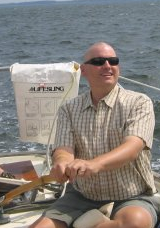 A couple of years ago I first heard from Ross Scaife in a lengthy and incredibly intelligent response to a post on this blog. A few months later I met him—and befriended him—at a digital humanities conference, and we have had spirited conversations about scholarship and digital media ever since.
 Today the
 Joining the growing network of CHNM podcasts (which includes